Live scoring flow
Score the match from one phone while spectator links, overlays, and result pages stay connected.
GV Cricket 2.0 updates
GV Cricket 2.0 adds more match-day tools around the free cricket scoring flow: live overlays, sound effects, announcements, walkie-talkie, match images, player stats, and shareable results.

Score the match from one phone while spectator links, overlays, and result pages stay connected.
Use score overlays, live match banners, director tools, and stream-friendly match controls.
Add score announcements, loudspeaker calls, sound effects, and walkie-talkie coordination.
Fast setup
Create a match, score live, and share the scoreboard or overlay link with players, viewers, and stream tools.
Create matchCreate the match, add two teams, and start from one clean setup screen. The setup stays simple even for someone running a full match quickly.
Choose who starts with the bat or ball, then go live. The toss flow is quick and clear before the first ball is scored.
Score any match style from one phone: quick games, full local matches, school cricket, tournaments, box cricket, tennis-ball cricket, and live-streamed games. The same view keeps scoring, audio, walkie-talkie, and overlay tools together.
See recent balls in order so everyone knows what just happened. That makes it easier to understand the latest over without asking again.
GV Cricket 2.0 feature updates
Proof, not promises
Live Streaming Overlay
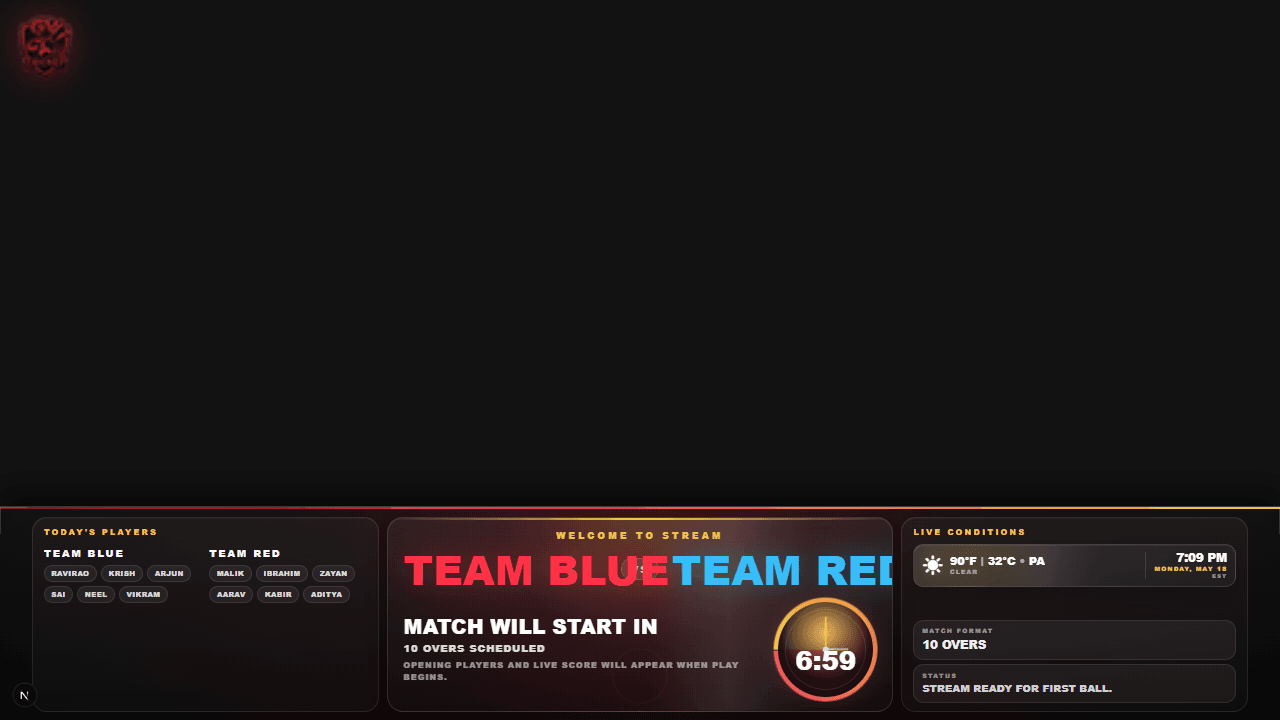
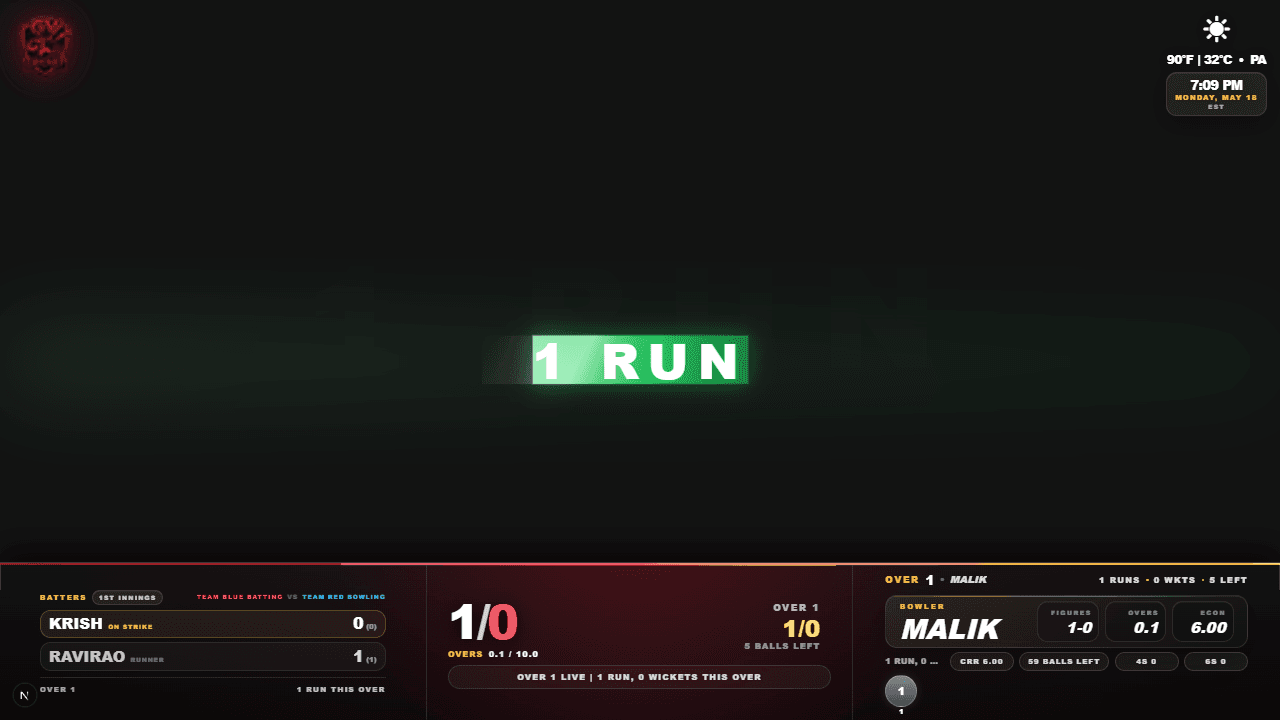

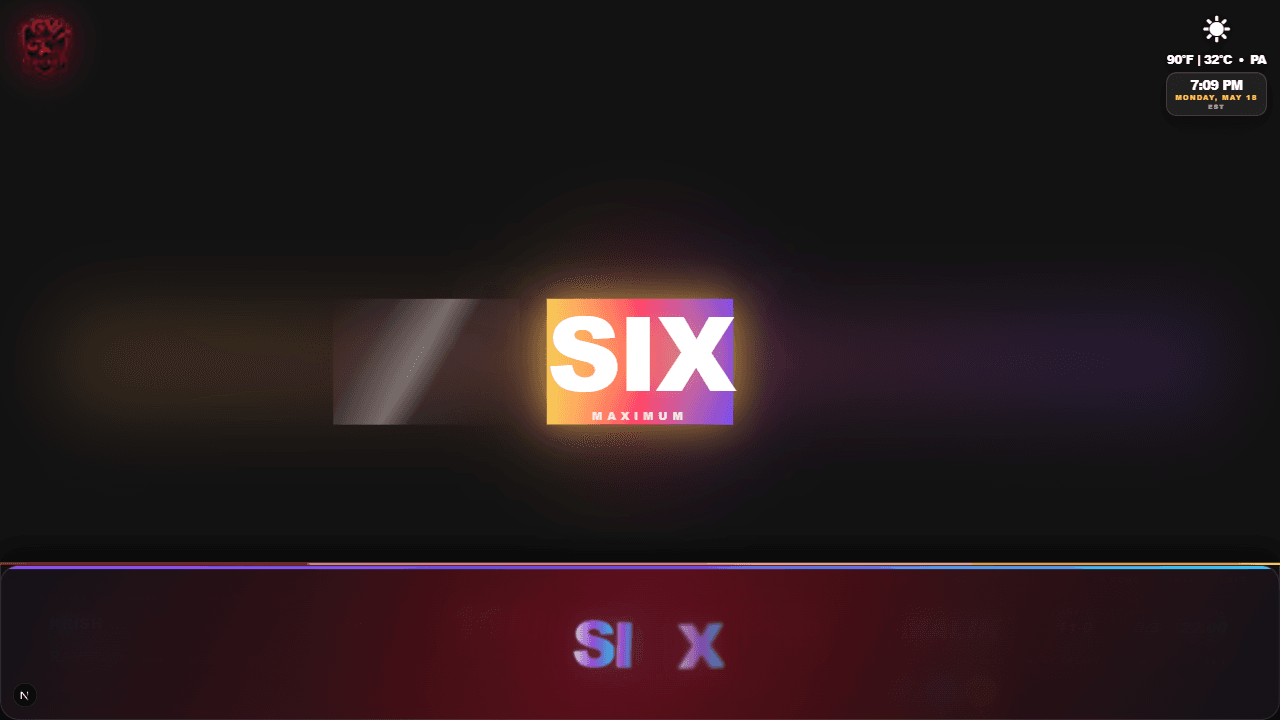

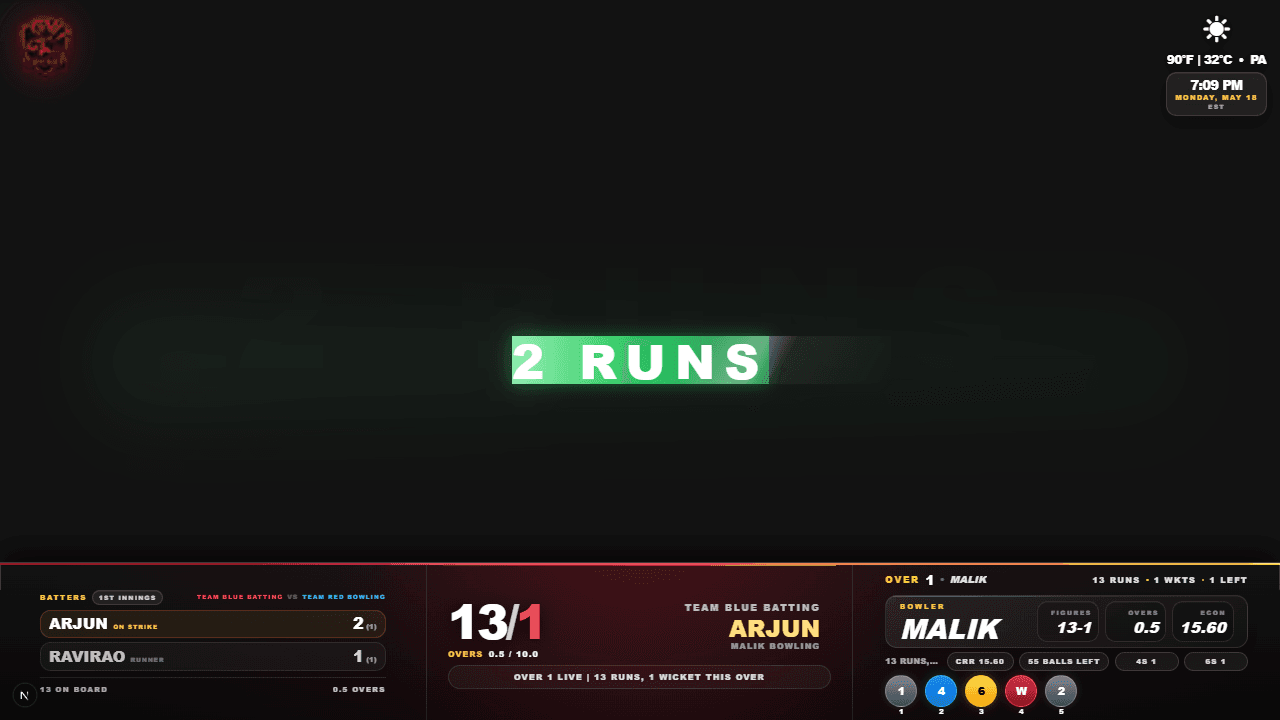
Real overlay demo
Copy the match overlay link into OBS, PRISM Live, YouTube, or any browser-source app. Runs, wickets, batters, bowler, and big moments stay live while you score.
Umpire View
Umpire View
TEAM BLUE batting
19/1
Score / Wickets
(3)
0.5
Overs (6)
(31)
1
2
3
4
.
.
5
Read score
Sound FX
Walkie
Score any match style from one phone: quick games, full local matches, school cricket, tournaments, box cricket, tennis-ball cricket, and live-streamed games. The same view keeps scoring, audio, walkie-talkie, and overlay tools together.
Super Over
Tie breaker
Super Over
Match tied. Decide it cleanly.
Team Blue
148/6
Team Red
148/7
Live super over
6 balls to break the tie
Setup
1 over
Target
Chase +1
Result
Winner
When a match is tied, GV Cricket can move into a clean Super Over flow with one-over setup, target tracking, ball-by-ball scoring, and a clear final result.
Sound Effects
Effects deck
Tap once during the match.
Now playing
FOUR
FOUR
Boundary hit
SIX
Big shot
OUT
Wicket fall
CHEER
Crowd noise
CUSTOM
Your audio
Trigger FOUR, SIX, OUT, wickets, cheers, and custom match sounds instantly. Every big ball can feel louder on stream, at the ground, or on a venue screen.
Match Styles
Match Style
Add players?
Advanced
Yes
Names, stats, scorecards, overlays.
Simple
No
Fast scoring with teams and overs.
Pick Yes for names, live lineup, player stats, and scorecards.
Choose whether to add player names. Pick Yes for named batters, runners, bowlers, scorecards, stats, and overlays with names. Pick No for a faster match that only needs team score and overs.
PA Mic
Loudspeaker
Armed for hold to talk.
Hold to talk live
Ready for next call
Turn one phone into a quick PA mic for score calls and ground updates. It works well for tournaments, match venues, and indoor screens.
GV Cricket 2.0 brings live scoring tools, streaming overlays, score announcements, sound effects, walkie-talkie communication, match images, player stats, live match banners, and shareable result pages into one cricket match flow.
Yes. GV Cricket keeps the live cricket scoring flow free to use, including match setup, umpire scoring, spectator score links, result pages, and streaming overlay access.
Yes. The updates support OBS, PRISM Live, Streamlabs, YouTube Live, venue screens, and local match production through live score overlays, audio tools, and director controls.