Production control
Coordinate audio, sound effects, walkie, and live match tools around scoring.
Cricket director software
GV Cricket helps a stream operator or match director coordinate audio, effects, walkie talkie, overlays, and live score context from one workflow.
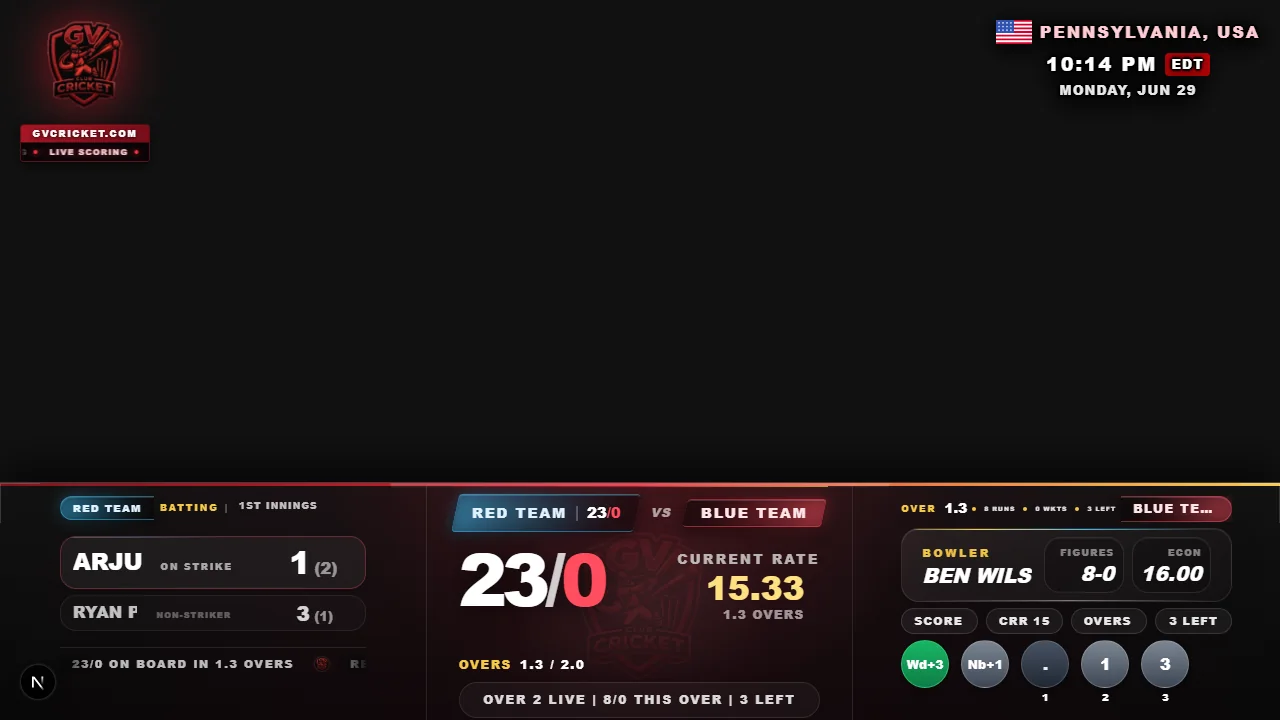
Coordinate audio, sound effects, walkie, and live match tools around scoring.
Director views follow the same live match state as the scorer and scoreboard.
Use walkie tools to coordinate scorer, director, and stream helpers.
Fast setup
Create a match, score live, and share the scoreboard or overlay link with players, viewers, and stream tools.
Create matchCreate or open the match in GV Cricket.
Use the director console for stream support and match control.
Trigger effects, coordinate audio, and support the overlay workflow.
Keep the stream and final match result connected.
Director software features
Proof, not promises
Director
Live control rack
Audio, YouTube music, crowd effects, and talkback in one place.
Walkie
Live
PA Mic
Ready
YouTube
Deck A
Effects
6 pads
Announcer
Queued
Crowd
Hot
A production-focused view can support live cricket moments around the score.

Overlay links and live score screens help directors keep the broadcast readable.
Sound Effects
Effects deck
Tap once during the match.
Now playing
FOUR
FOUR
Boundary hit
SIX
Big shot
OUT
Wicket fall
CHEER
Crowd noise
CUSTOM
Your audio
Director-style match operation can include sound effects for key cricket moments.
It is software for coordinating live cricket production tools such as overlays, audio, effects, and communication.
Yes. GV Cricket includes director console workflows connected to live scoring.
Yes. The director workflow is useful for one-person streams and small local cricket productions.