Score every ball
Follow runs, wickets, legal balls, extras, overs, innings, target, and result state from one scoring flow.
Cricket scoring rules
Use this practical cricket scoring rules guide to understand what the scorer records every ball, why extras matter, when overs and innings end, and how GV Cricket turns those rules into live scoreboards and result pages.
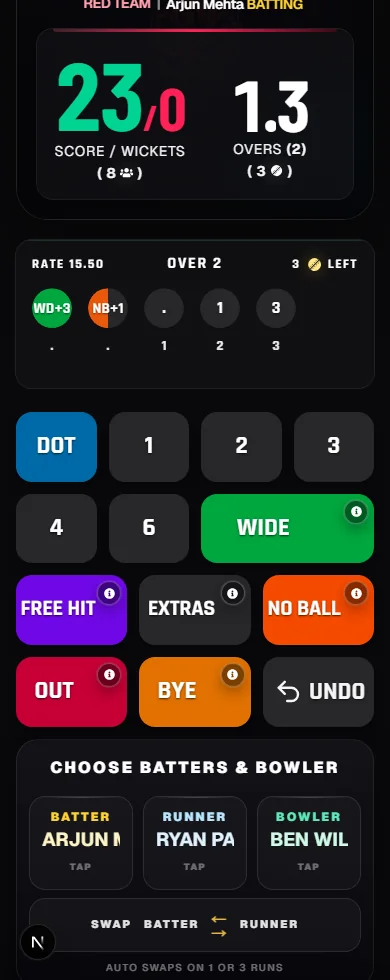
Follow runs, wickets, legal balls, extras, overs, innings, target, and result state from one scoring flow.
Separate wides, no-balls, byes, and leg byes so the score and over count stay clear.
Apply the rules while scoring local cricket, box cricket, tennis-ball cricket, school matches, and tournaments.
Fast setup
Create a match, score live, and share the scoreboard or overlay link with players, viewers, and stream tools.
Create matchAgree teams, overs, player limits, local boundary rules, and any tournament rules before scoring begins.
A legal delivery can add runs, record a wicket, and move the over forward by one ball.
Wides and no-balls add runs without completing a legal ball, while byes and leg byes depend on the delivery and local rule set.
An innings ends when overs are complete, the batting side is all out, or the chase target is reached.
Rules covered
Basics
A cricket scorer records the match state one delivery at a time. The visible score is usually written as runs for wickets, such as 64/3. That means the batting team has scored 64 runs and lost 3 wickets. The scorer also tracks overs, balls in the current over, the batting side, the bowling side, the innings, the target in a chase, and the final result after the match ends.
Runs can be scored by hitting the ball and running, by hitting a boundary, or through extras. A four is normally awarded when the ball reaches the boundary after touching the ground. A six is normally awarded when the ball crosses the boundary without touching the ground. Local cricket can have field-specific rules, so teams should agree those details before the first ball.
GV Cricket is built around this same match state. The scorer taps each event, the live scoreboard updates, spectators can follow a shared link, and finished matches can become result pages with the final score and match summary.
Overs and extras
An over is normally six legal balls. A legal ball moves the over forward. Wides and no-balls add runs to the batting side but usually do not count as legal balls, so the bowler must bowl an extra delivery. That is why an over can show more than six total deliveries when extras are included.
Byes and leg byes are different from wides and no-balls. They can add runs when batters run after the ball passes the batter or deflects from the body, depending on the situation and local playing conditions. In a scorecard, extras matter because they affect the team total while keeping batter and bowler figures clear.
For local matches, the most important habit is consistency. Decide how strict wides, no-balls, waist-high full tosses, free hits, boundary values, and retired batters will be handled before the match. Then score every team with the same rules.
Live scoring
A live scoreboard is only useful when it follows the scorer accurately. Each scoring tap should answer a simple question: did the batting team add runs, did a wicket fall, did a legal ball happen, and did the innings or match state change? When those pieces are correct, the score, wickets, overs, current over, target, and result can all stay synchronized.
GV Cricket connects the scoring rules to the match tools. Simple focuses on fast team scoring. Full Scorecard adds player names, batting stats, bowling figures, and richer overlays. Single Batter Mode keeps Full Scorecard detail but removes the runner or non-striker.
The same data can power spectator links, cricket scoreboard overlays for OBS or PRISM Live, score announcements, sound effects, and match result pages. That helps clubs, schools, leagues, and streamers run a cleaner match day without switching between separate scorekeeping tools.
Local cricket
Local cricket often uses short overs, limited batters, retired batter rules, custom boundaries, smaller fields, indoor nets, or tennis-ball conditions. These changes are normal, but they should be written down or announced before play starts. Clear rules prevent disputes when the score is close.
For tournament matches, decide whether net run rate, super overs, player stats, substitutions, and incomplete matches matter. For school and community games, decide how new players rotate through batting, bowling, wicket keeping, and umpiring. For streams, decide who controls the scoring phone and who watches the overlay.
The goal is not to make every local match feel like a professional broadcast. The goal is to keep the score trusted, visible, and easy to share. GV Cricket supports that by keeping live scoring free and by giving every match a path from setup to live score to final result.
Screenshots and demos
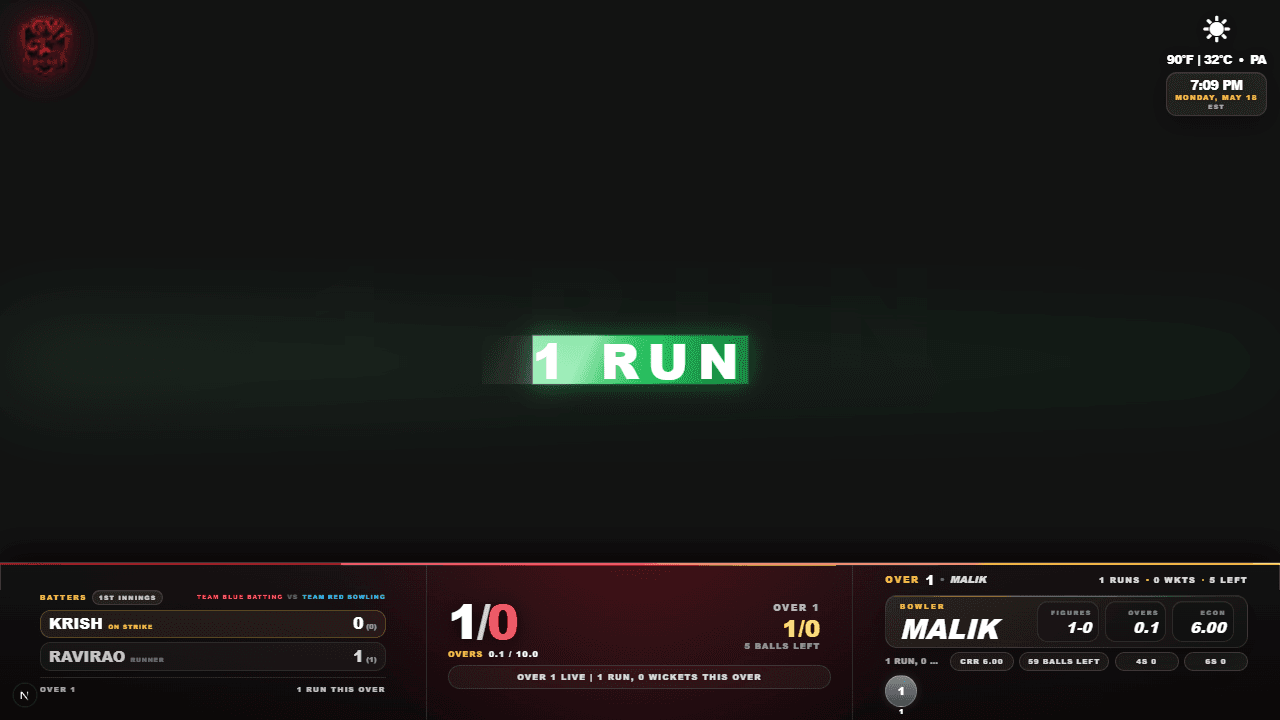
Runs, wickets, overs, batters, bowler, and current over stay tied to the scorer actions.

Open the dedicated watch page to see scoring taps update the live cricket scoreboard and stream overlay during a demo match.
Watch the rules in actionThe main scoring rules track runs, wickets, legal balls, overs, extras, innings, targets, and the final result. Runs can come from shots, running between wickets, boundaries, and extras such as wides or no-balls.
No. Wides and no-balls add runs to the batting side but usually do not count as legal balls in the over, so the bowler must deliver another legal ball.
GV Cricket applies common scorekeeping logic during live scoring, including overs, wickets, extras, innings changes, targets, result pages, and spectator score links.
Yes. This guide is written for local cricket, tennis-ball cricket, box cricket, school matches, clubs, leagues, and tournaments. Always confirm local playing conditions before the match starts.