Phone-first scoring
Use a clean umpire screen for runs, wickets, overs, extras, and player changes.
Cricket live score embed
GV Cricket gives teams a public live score page and scoreboard screen that can support website, display, and stream workflows.
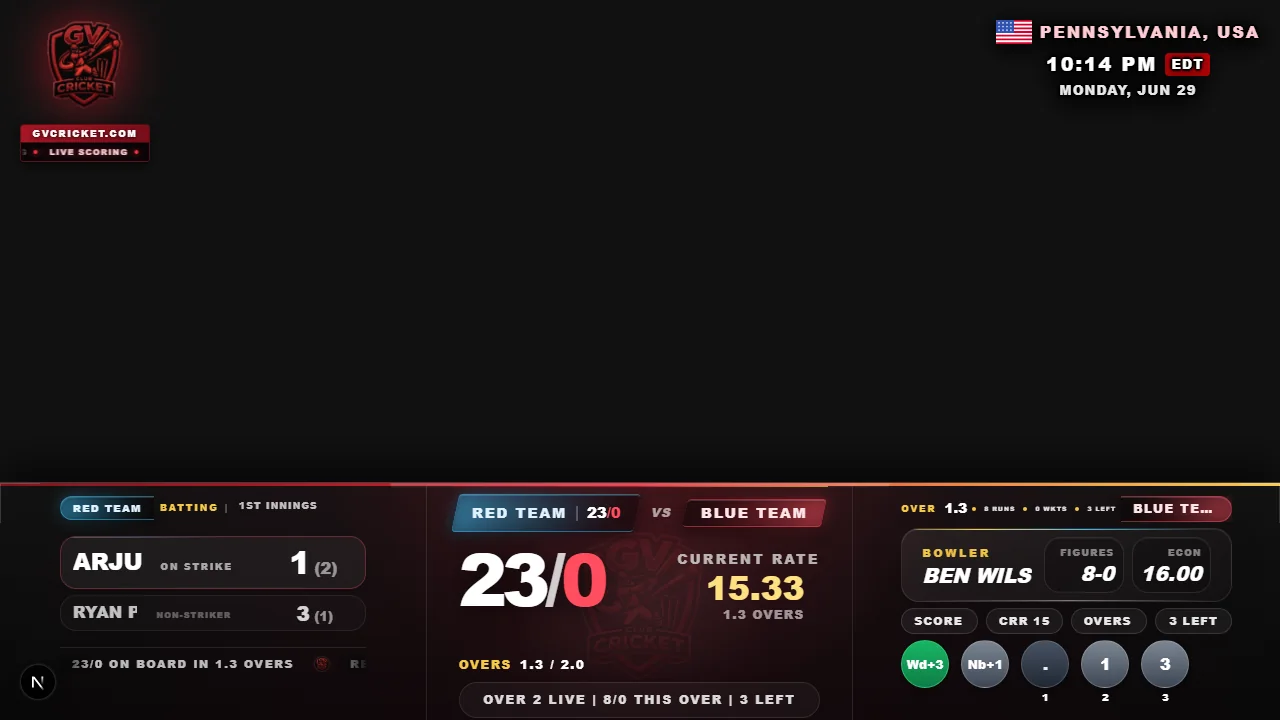
Use a clean umpire screen for runs, wickets, overs, extras, and player changes.
Share live score links, match pages, result pages, and searchable cricket screens.
Use public screenshots and overlay screens for live streaming and scoreboard workflows.
Fast setup
Create a match, score live, and share the scoreboard or overlay link with players, viewers, and stream tools.
Create matchAdd teams, overs, match type, players, toss details, and scoring settings.
Use the scoring UI, including the Extras button, to keep the scoreboard accurate.
Open public score links, stream overlays, or match pages for viewers and teams.
Finish the match with a public result page and screenshots that can be discovered.
Live Score Embed features
Proof, not promises
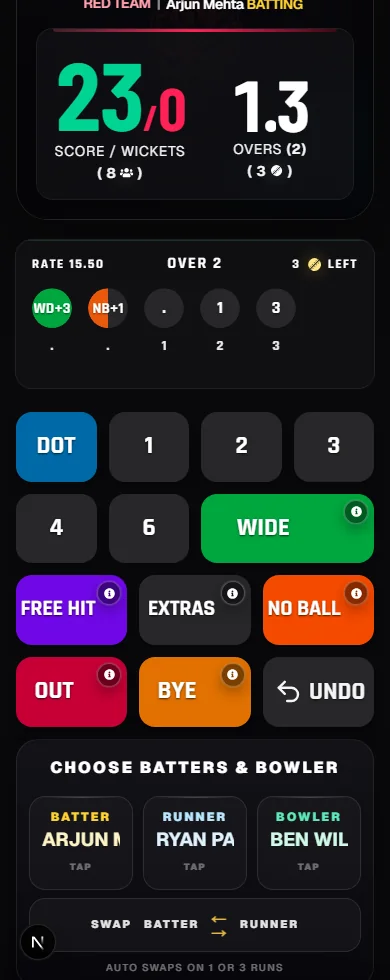
Score runs, wickets, extras, no-balls, free hits, byes, and match state from the public scoring screen.

Use public match screens for score sharing, match summaries, and result-page promotion after play.
Show the same match state in a stream-friendly cricket scoreboard layout.
Scoring workflow
These pages use fresh GV Cricket public screenshots captured from a real Red Team vs Blue Team match, including umpire scoring, spectator view, live stream overlay, scorecards, player stats, ratings, awards, and result sections. They avoid stock photos and avoid claiming any official partnership with streaming platforms.
The Extras scoring flow is part of the live scoring UI, so scorers can handle penalty runs, dead ball, short run, no-ball extras, run-out extras, free-hit extras, wides, byes, and wickets from the same match screen.
Search pages
The page content targets practical cricket software searches such as scorecard generator, score sheet app, scorebook app, run rate calculator, league scoring, live score widget, browser-source overlay, and short-format cricket scoring.
Each route is included in the feature page registry, navigation page list, sitemap, robots-discoverable public routes, and image sitemap data through the same SEO system used by the rest of the app.
Screenshots and demos
Use a live cricket score overlay for public streams, venue screens, and browser-source production setups.
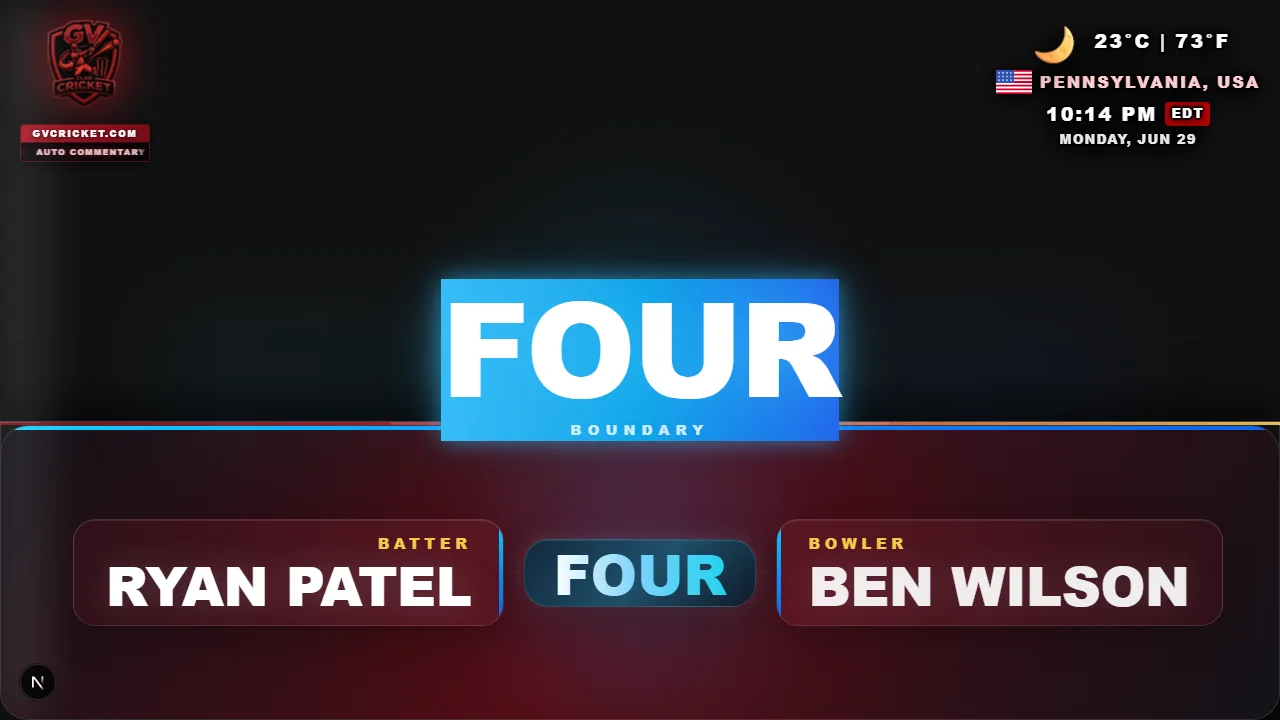
Boundary and event moments can be shown in the live stream overlay while the same score powers public pages.
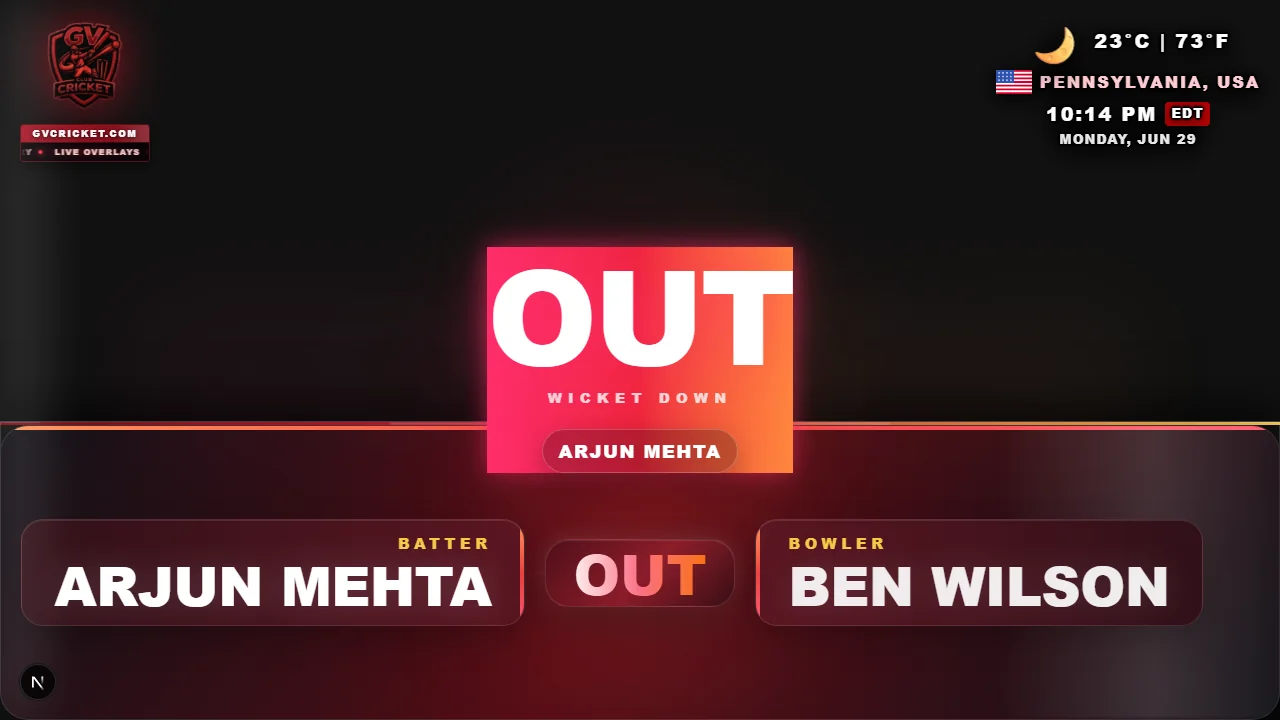
Wicket moments can be reflected in the overlay and result page score history.
The phone scoring screen drives overlays, spectator scoreboards, result pages, and scorecards from one match.
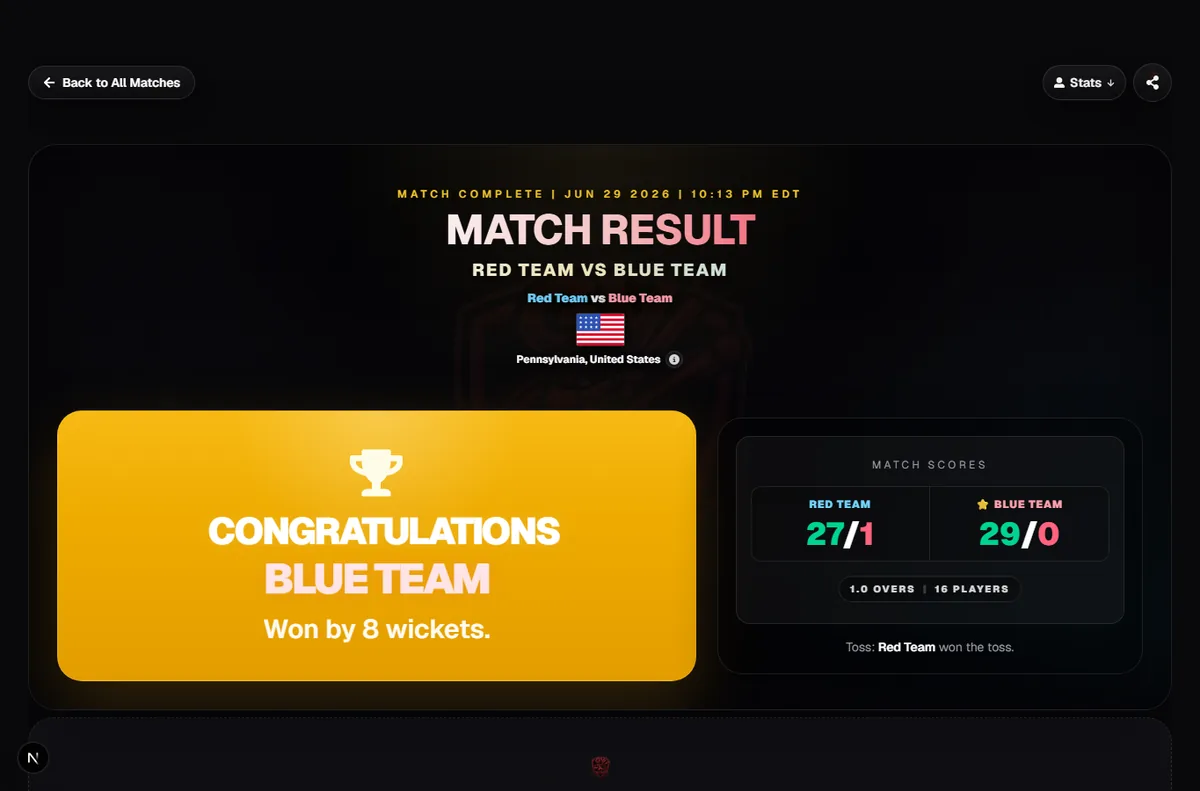
After the stream, share a completed result page with score summary, awards, charts, and player context.
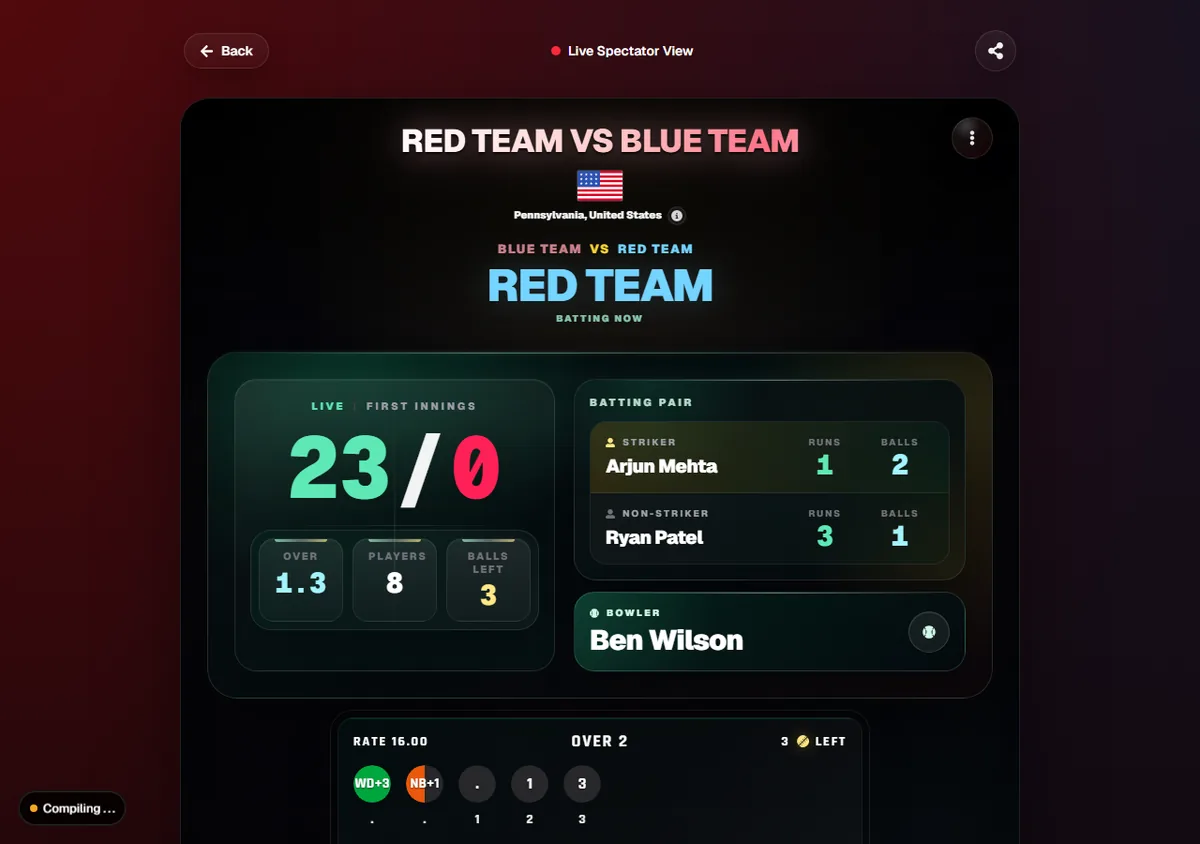
Viewers can follow the same match through a public scoreboard page while the overlay stays ready for display workflows.
Yes. GV Cricket can support live score embed workflows with live scoring, public score links, result pages, and stream-ready scoreboard screens.
Yes. The scoring UI includes an Extras button for penalty runs, dead ball, short run, no-ball extras, run-out extras, free-hit extras, and other match situations.
Yes. The screenshots used by these pages are stored in the public folder, displayed on public SEO pages, and connected to sitemap image data for related routes.